
Automated Moderation
Discord AutoMod Bot That Manages Native Rules and Adds More
Security Bot turns Discord AutoMod into a dashboard of presets, from mention spam to custom words with regex. The bot can add a timeout, kick, or ban on top of Discord's block, and runs two link filters itself. AutoMod presets are part of Premium.
- Discord-native presets for mention spam, suspected spam, commonly flagged words, custom words with regex, domain watchlists, and member profile names.
- Discord blocks the message. Security Bot can add a timeout, kick, or ban, and logs hits to your AutoMod log.
- Two bot filters, Threat Link Guard and Mature Link Guard, run inside Security Bot and use no Discord rule slots.
Discord AutoMod Bot
Security Bot for Discord servers
- Native presets
- 6 Discord AutoMod presets
- Bot filters
- Threat Link Guard, Mature Link Guard
- Actions
- Block + timeout, kick, or ban
Last reviewed 2026-10-12
AutoMod coverage
Discord AutoMod Bot features
Discord-native presets
Block Mention Spam, Block Suspected Spam Content, Block Commonly Flagged Words, Block Custom Words, Domain Watchlist, and Block Words in Member Profile Names. Discord allows the last one only on Community servers. Security Bot creates and syncs the native rules.
Bot filters
Threat Link Guard checks links against a scam, phishing, and malware domain feed refreshed hourly. Mature Link Guard uses an adult-domain list refreshed every 24 hours. Both check messages in regular text channels and delete matches after they are posted.
Actions and exemptions
Per preset, choose no extra action, a bot timeout (1 minute to 1 week), a kick, or a ban. Exempt roles and channels, set a custom block message, and route alerts to an AutoMod log channel.
Why manage Discord AutoMod through a bot
Discord AutoMod is free, built in, and blocks messages before they post, which no bot can do. It is also limited. Rule slots are capped per server, and rules are set up through nested menus. Its own timeout action is available only on keyword and mention spam rules.
Security Bot keeps the strengths and adds what is missing. Presets create the right native rules in one click. The dashboard shows which slots are used, so presets do not collide. Every block can trigger a bot action and an entry in the AutoMod log.
How AutoMod presets work
Each preset is a template. Enable Block Mention Spam and Security Bot creates a Discord AutoMod rule with your mention limit and the mention raid filter. Enable Block Custom Words to build several keyword rules with blocked words, allowed terms, and regex patterns. Each has its own exemptions and bot action.
Bot filters do not create Discord rules. Threat Link Guard and Mature Link Guard run inside Security Bot against maintained domain lists. The dashboard shows how many domains and indicators are loaded.
Bot actions happen after Discord blocks the message: a timeout with the duration you pick, a kick, or a ban. The AutoMod log channel receives each hit with the rule, the member, the matched content, and the bot action.
AutoMod, anti-spam, and moderation together
AutoMod handles content per message. Anti-spam handles volume over time and can lock a channel. Moderation commands let staff act on what the filters surface.
AutoMod hits go to the AutoMod log. Moderation commands, and the bot's own timeouts, kicks, and bans after a hit, go to the moderation log. That way the team can see what was blocked and what happened next.
Recommended AutoMod presets by server type
Every server should start with Block Mention Spam at a limit of 5 with the mention raid filter, Block Suspected Spam Content, and Block Commonly Flagged Words with the categories that fit your community.
A small community can leave the bot action at none or a 5-minute timeout. A public gaming or fan server past 1,000 members should add Block Custom Words with allowed terms for its own slang, and a 10-minute timeout as the follow-up.
Crypto, NFT, and marketplace servers should enable Threat Link Guard, Mature Link Guard, and Domain Watchlist for the domains you know are abused. On a Community server, add Block Words in Member Profile Names to catch names that impersonate staff or projects.
Above 20,000 members, lower the mention limit to 3 and use a one-hour timeout. Exempt only the staff roles that really need to post links or mention groups.
Discord's rule limits and how the dashboard manages them
Discord allows one AutoMod rule each for spam content, mention spam, commonly flagged words, and member profiles, plus six keyword rules per server. Hit the cap by hand and the save fails.
The AutoMod page shows which slots are in use and disables a preset that would collide with one already enabled. It also reports how many rules are in sync with Discord.
Bot filters do not use those slots. Threat Link Guard and Mature Link Guard run inside Security Bot, so a server can run a scam domain feed and adult-link filtering alongside all six keyword rules.
A worked example: custom words with regex
Enable Block Custom Words. Add blocked words for the scam phrases your community keeps seeing, and an allowed term for a legitimate word that would otherwise match. Add a regex pattern that catches the spaced and misspelled variants spammers use to dodge plain words.
Choose a 10-minute bot timeout, exempt your staff role and a bot-commands channel, and save. Security Bot creates the Discord keyword rule.
A member posts a matching message. Discord blocks it before it appears, and Security Bot applies the timeout. An entry lands in the AutoMod log channel with the rule, the member, and the matched content.
When a false positive shows up in that log, add an allowed term and save again. Security Bot syncs the change to the native rule.
Common AutoMod mistakes and how to fix them
Enabling presets without an AutoMod log channel means false positives are hard to find. Set the channel on the Logging page first.
Exempting every member role, or the role most people hold, switches the filter off for the people it is meant to cover. Exempt staff and utility bots only.
Skipping allowed terms turns Block Commonly Flagged Words into a source of complaints in communities where some of those words are normal.
A keyword without wildcards matches whole words only, so http does not catch https:// links. Use http* or a regex.
Creating native rules by hand next to the presets causes slot conflicts and confusing saves. Manage them in one place.
Expect AutoMod to do only what it can. It judges one message at a time and never sees a join. Floods need anti-spam with a channel lock, raids need anti-raid scoring, and a compromised moderator needs anti-nuke limits. AutoMod is the content layer of that stack, not the whole stack.
Setup
How to set up Discord AutoMod Bot
Steps that list a command can also be done in Discord. On Premium, settings commands such as /setlimit and /whitelist reply with a dashboard link instead.
Step 1: Open AutoMod in the dashboard
Under Protection, the AutoMod page lists Discord AutoMod presets on top and bot filters below. AutoMod presets are part of Premium and run on the Premium Bot.
Step 2: Enable the basic presets
Turn on Block Mention Spam, Block Suspected Spam Content, and Block Commonly Flagged Words. Pick the categories you want: severe profanity, insults and slurs, sexual content.
Step 3: Add custom words or regex
Enable Block Custom Words, add blocked words and optional regex patterns, and add allowed terms for false positives.
Step 4: Pick bot actions
For each preset choose no extra action, or a bot timeout, kick, or ban, and set the timeout length.
Step 5: Set exemptions and the log channel
Exempt staff roles and specific channels, choose the AutoMod log channel on the Logging page, and save. Security Bot creates the Discord rules.
Dashboard
The Security Bot dashboard
The server overview in the web dashboard, where Discord AutoMod Bot and every other module is configured.
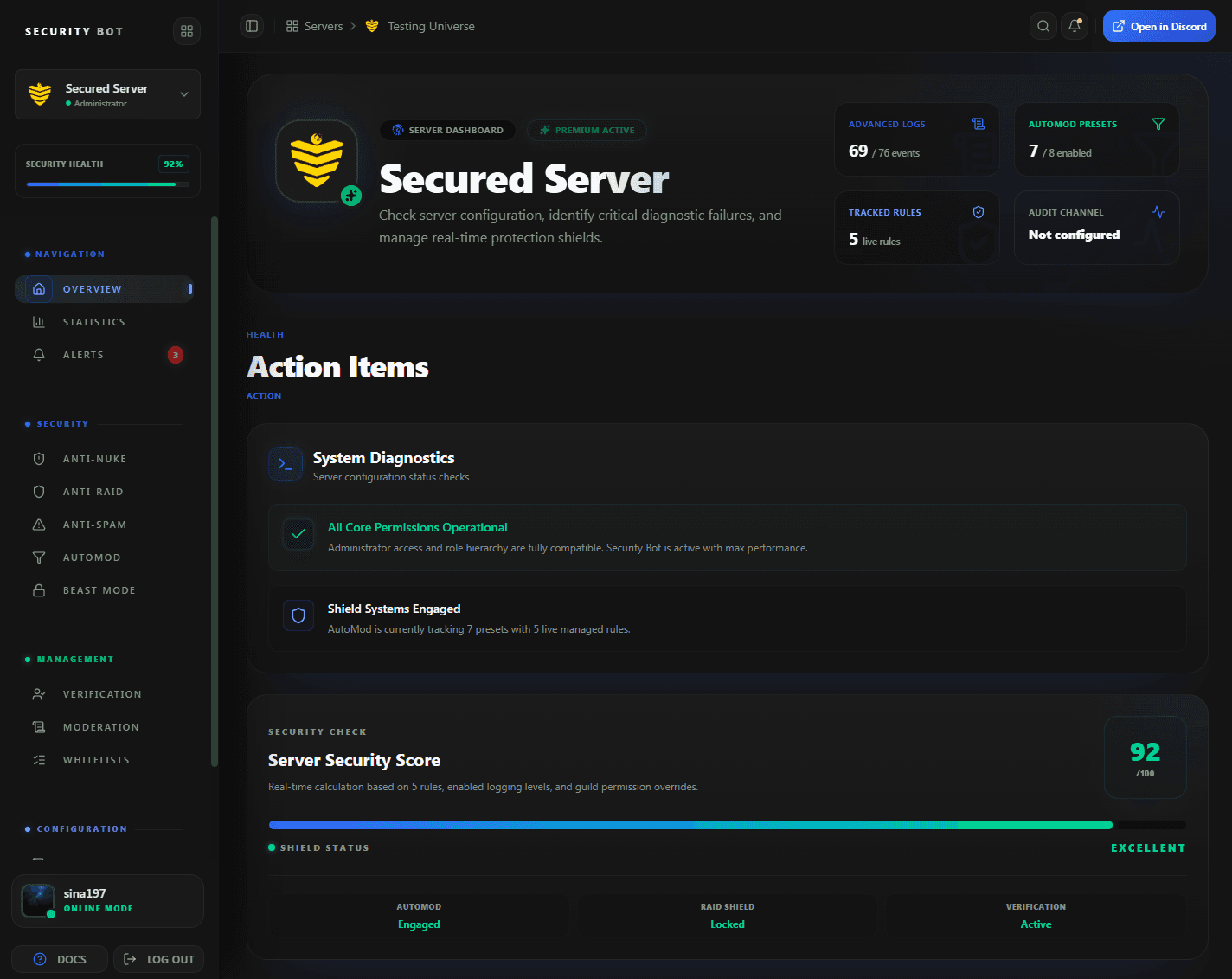
The dashboard overview shows how many AutoMod presets and Discord rules are live. Presets are configured on the AutoMod page.
Guides
AutoMod guides
Step-by-step articles that go deeper on discord automod bot setups and problems.
Questions
Discord AutoMod Bot FAQ
Common questions about Discord AutoMod Bot use cases, coverage, and setup.
Does Security Bot replace Discord AutoMod?
No. It configures Discord AutoMod for you and adds bot filters and bot actions on top.
Are the AutoMod presets free?
No. AutoMod presets and bot filters are part of Premium. On the free tier you can still set up Discord's own AutoMod by hand in Server Settings and use Security Bot's free invite link filter.
Can I use regex?
Yes. Block Custom Words supports blocked words, allowed terms, and regex patterns, within Discord's limit of six keyword rules, which it shares with Domain Watchlist.
Why does a preset say it conflicts with another?
Discord allows one rule per trigger type for spam, mentions, flagged words, and member profiles. The dashboard disables the conflicting preset so the save succeeds.
Can AutoMod time out or ban members?
Discord AutoMod can time members out on its own, but only on keyword and mention spam rules. Spam content and flagged words rules can only block and alert. Security Bot can add a bot timeout, kick, or ban after any preset blocks a message.
What is the difference between Discord-native presets and bot filters?
Native presets create real Discord AutoMod rules that block before a message posts. Bot filters, Threat Link Guard and Mature Link Guard, run inside Security Bot, delete the message after it is posted, and do not use Discord's rule slots.
Can I exempt a channel or role from a preset?
Yes. Each preset has its own exempt roles and channels, so a staff role or a links channel can bypass one filter without bypassing the rest. The bot filters also skip the server owner, members ranked above Security Bot, and the All whitelist categories.
Related
Explore more Security Bot features
Ready to protect your Discord server with Security Bot?
Add Security Bot to your server to get started with Discord AutoMod Bot. Anti-raid, anti-spam, and the other Premium modules run on a separate bot; the Premium page explains how to add it.