
Escalated Defense
Beast Mode for High-Risk Discord Servers
Beast Mode is Security Bot's escalation layer. Dangerous actions add the points you assign to one server-wide score. At your limit, Beast Mode activates and immediately punishes anyone who performs a dangerous action. It ends about an hour later, or when you deactivate it.
- Assign points to bans, kicks, bot adds, prunes, channel and role creates and deletes, and more on Premium.
- Activate automatically at the server-wide score you define, even when no single user reaches an anti-nuke limit.
- Punish with kick, ban, or clear roles while active. It ends after 60 to 120 minutes, or with Deactivate now.
Beast Mode Discord Protection
Security Bot for Discord servers
- Trigger model
- Server-wide threat score
- Active period
- About 1 hour, or until deactivated
- Price
- Free
Last reviewed 2026-10-12
Beast Mode coverage
Beast Mode Discord Protection features
One score for the whole server
Anti-nuke counts actions per user. Beast Mode adds them up. With channel delete at 2 points and a limit of 10, three accounts each deleting two channels stay under a per-user limit of three. The fifth delete activates Beast Mode.
Automatic escalation
When the score reaches the limit you set, Beast Mode activates. From then on, any dangerous action by a non-exempt user is punished immediately, without counting toward a limit. @everyone pings add points but are never punished.
Built-in simulator
The Beast Mode page has a simulator that plays example attacks and normal admin work. It shows when Beast Mode would activate compared with plain anti-nuke limits. Its scenarios use example point values, so check your own numbers by hand.
Why per-user limits are not enough
Anti-nuke limits stop the classic nuke: one compromised admin doing everything at once. An attacker can get around them by spreading actions across several accounts, or by pacing a single account to stay under each limit.
Each account looks like a slightly busy moderator. Together they take the server apart.
Beast Mode looks at the server instead of the user. It does not matter who deleted the channel or banned the member, only that dangerous things are happening faster than they should.
How Beast Mode scores and activates
Each dangerous action type has a point value on the Beast Mode page: bot add, ban, kick, role create, role delete, channel create, channel delete, and prune. On Premium, @everyone mentions, vanity changes, and webhook creation score too.
All points start at 0 and the default score limit is 40, so Beast Mode does nothing until you assign points. An action only scores when its anti-nuke trigger is turned on. The running score is cleared every hour.
Reaching the limit only activates Beast Mode. Once active, it applies the punishment you chose to any user who performs a dangerous action, unless they are exempt. The choices are kick, ban, or clear roles, and clear roles is the default. No points are added while it is active.
An hourly check ends it once it has been active for an hour, so it lasts 60 to 120 minutes. You can also end it immediately with Deactivate now on the Beast Mode page.
The server owner and anyone with a role above Security Bot's role are always exempt. Whitelisted users and roles are exempt, and add no points, only if you turn on Allow whitelist bypass. Keep it off if you suspect a whitelisted staff account could be the one compromised.
Tuning Beast Mode without false alarms
Add up a busy day for your staff by hand, for example a channel cleanup. Check the score against your limit, and remember it clears every hour. If a normal hour would activate Beast Mode, raise the limit or lower the points for that action.
Then add up a nuke, such as ten channel deletes and five bans. It should activate within the first few actions. The simulator's scenarios show how activation plays out step by step.
Clear roles is a sensible punishment for most servers. It stops the attacker immediately and is reversible for a staff member who triggered it by mistake.
Beast Mode with anti-nuke and recovery
Beast Mode is free and works alongside anti-nuke rather than replacing it. Anti-nuke stops the single fast attacker. Beast Mode stops the distributed or paced one.
If Recovery was on (Premium) before the attack, what was deleted can be restored from Recently deleted or the latest backup.
A Beast Mode punishment counts as an incident for Recovery. So with Restore automatically after anti-nuke on, what the punished user deleted in the last 30 minutes is put back automatically.
Recommended Beast Mode settings by server type
A small community with two or three staff can run Beast Mode tight. Set the score limit around 10. Give channel delete 4 points, ban and role delete 3, bot add 3, and routine actions like channel create 1.
A small team rarely performs more than a couple of dangerous actions in an hour. So the limit sits above a normal hour and well below a nuke. Choose clear roles as the punishment. Leave Allow whitelist bypass off, since with a team that small, hierarchy already exempts the owner.
A large public server with a busy moderation team needs more room. A team that bans many scam accounts in one hour would push a low limit on its own. Set the limit to 20, keep channel delete at 4 points, and drop ban and kick to 1.
A realistic bad hour, such as eight bans, two kicks, and one channel delete, then scores 8 plus 2 plus 4, or 14. That stays below the limit. The anti-nuke ban limit still catches a single account mass-banning. Beast Mode is there for the server-wide picture.
Crypto, NFT, and marketplace servers are targeted often and rarely have a good reason for anyone to delete channels. Keep the limit near 10 and choose ban as the punishment. Pair it with anti-nuke limits of two for channel and role delete, with ban as the punishment there too.
The cost of a false activation is a staff member you have to unban. The cost of a missed attack is the server. Tune for the second.
A worked example with real numbers
Take these values: channel delete 4 points, ban 3, role delete 3, and a score limit of 12.
An attacker with a phished admin account deletes two channels, which adds 8. They ban one member, and the score is 11. They delete a role, and the score reaches 14. Beast Mode activates on that fourth action, and the attacker's next dangerous action is punished immediately.
Anti-nuke, with the default channel delete limit of three, would not have fired yet. Two layers, two different tripwires.
Now consider a planned cleanup: an admin deletes five old channels and two unused roles in the same hour. That is 20 plus 6, well past 12. Beast Mode would treat the admin's next dangerous action as an attack. The anti-nuke channel delete limit would also stop them at the third delete, unless their role is whitelisted.
There are three fixes. Raise the limit for the cleanup and lower it afterwards. Or reduce channel delete to 2 points if restructuring is routine on your server. Or whitelist the admin role and turn on Allow whitelist bypass, so its actions neither add points nor get punished, then turn it back off.
Either way, announce large cleanups in the staff channel.
What to do while Beast Mode is active
Beast Mode writes no log entry when it activates or ends. You will notice it from User Punished entries in the security log, the owner's DM, or the Beast Mode page, which shows it as Active.
Do not deactivate it first. Read the security log's User Warning and User Punished entries to see which account was acting.
If it is an attack, the punishment has already removed that account's ability to continue. Now run /lockall, kick any bot the attacker added, and check Discord's audit log for webhooks they created.
Once the account is dealt with and the server is locked, press Deactivate now so staff can work. Then unlock and restore anything Recovery saved.
If the log shows a staff member doing ordinary work, deactivate Beast Mode and give the person their roles back. Fix the cause the same day: raise the limit, lower the points for that action, or add a whitelist entry with Allow whitelist bypass on.
Every activation, real or false, deserves one line in the staff channel explaining what happened. Beast Mode is free, so the cost of a false alarm is time. Make sure the fix stops it from repeating.
Setup
How to set up Beast Mode Discord Protection
Steps that list a command can also be done in Discord. On Premium, settings commands such as /setlimit and /whitelist reply with a dashboard link instead.
Step 1: Open Beast Mode in the dashboard
Log in at securitybot.gg, choose your server, and open Beast Mode under Protection.
Step 2: Enable the module
Turn Beast Mode on. It is off by default, and nothing happens until the score limit is reached.
Step 3: Set the score limit
The default is 40. Once you assign points, start around 10 to 15 for a typical server, and lower it if you have been attacked before.
Step 4: Assign points per action
All points start at 0. Give destructive actions like channel delete and ban more points than routine ones like channel create.
Step 5: Choose the punishment and whitelist behavior
Pick kick, ban, or clear roles (the default). Use Allow whitelist bypass to decide whether whitelisted users are skipped while Beast Mode is active.
Step 6: Check the numbers and save
Add up a normal busy hour and a nuke by hand, play the simulator scenarios to see how activation works, then save. Punishments while Beast Mode is active appear in the security log as User Punished.
Dashboard
The Security Bot dashboard
The server overview in the web dashboard, where Beast Mode Discord Protection and every other module is configured.
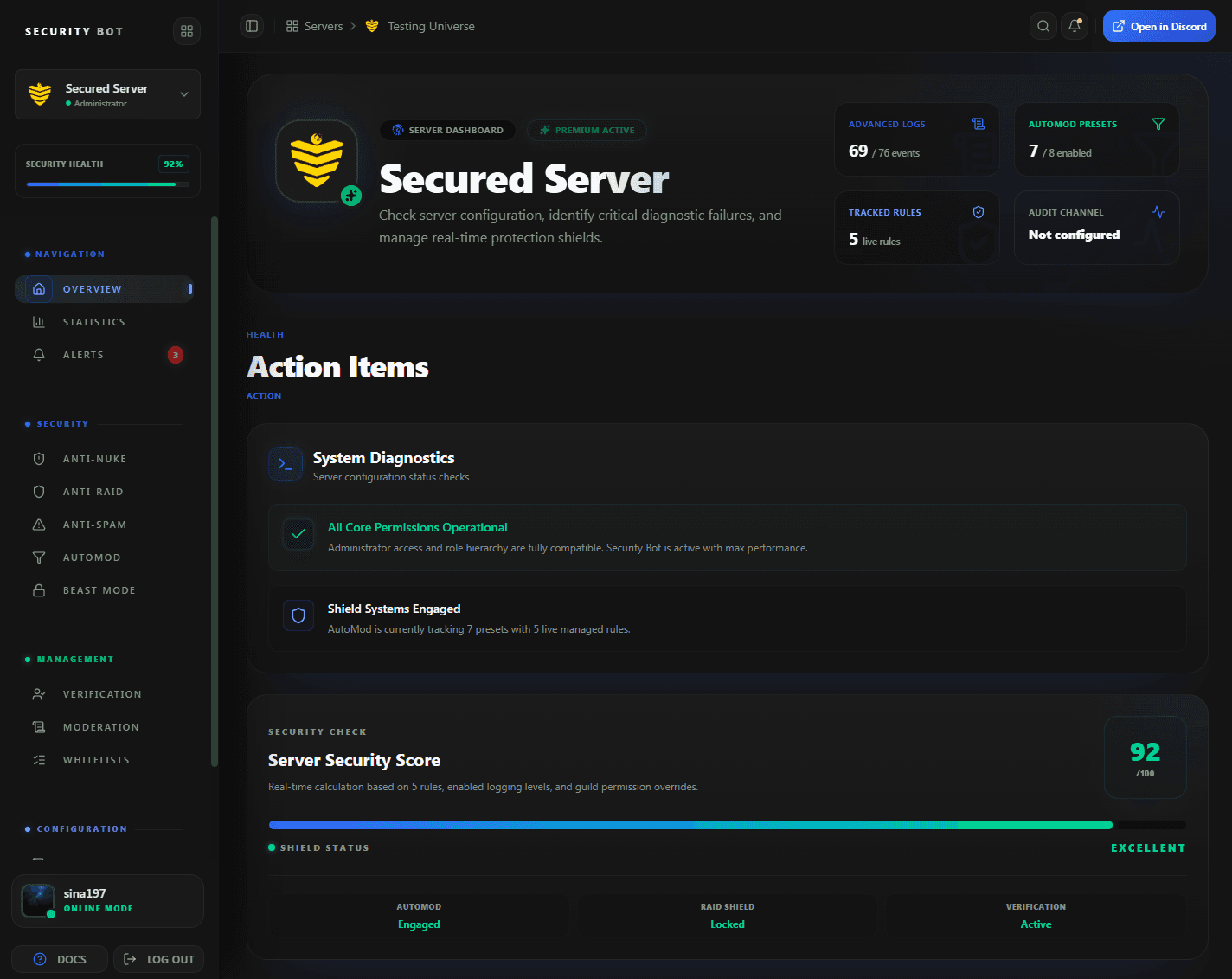
The dashboard overview. Beast Mode points, the score limit, and the simulator are on the Beast Mode page, opened from the sidebar.
Guides
Beast Mode guides
Step-by-step articles that go deeper on beast mode discord protection setups and problems.
Questions
Beast Mode Discord Protection FAQ
Common questions about Beast Mode Discord Protection use cases, coverage, and setup.
What is Beast Mode in Security Bot?
A server-wide protection mode. Dangerous actions add points to one score. When it reaches your limit, Beast Mode activates and punishes any dangerous action for about an hour, or until you deactivate it.
Is Beast Mode free?
Yes. Beast Mode is available to every server with Security Bot. Points for @everyone mentions, vanity changes, and webhook creation count only on Premium, where those triggers exist.
Does Beast Mode replace anti-nuke?
No. Anti-nuke counts per user. Beast Mode counts for the whole server, and only for actions whose anti-nuke trigger is on. Run both.
How do I turn Beast Mode off once it activates?
Press Deactivate now on the Beast Mode page. Otherwise an hourly check ends it once it has been active for an hour, so it lasts between 60 and 120 minutes.
Can whitelisted staff be punished by Beast Mode?
Only if Allow whitelist bypass is off. Turn it on to exempt whitelisted users and roles while Beast Mode is active. Their actions then add no points either.
Does Beast Mode cover staff ranked above the bot?
No. The server owner and anyone with a role above Security Bot's role are always exempt. Move the bot's role above every staff role so Beast Mode can act on them.
Does Beast Mode post a log entry when it activates?
No. Activation and deactivation are not logged. Each punishment while it is active appears in the security log as User Punished, and the server owner gets a DM.
Related
Explore more Security Bot features
Ready to protect your Discord server with Security Bot?
Add Security Bot to your server to get started with Beast Mode Discord Protection. Anti-raid, anti-spam, and the other Premium modules run on a separate bot; the Premium page explains how to add it.